API Keys
What is an API key?
An API key is a unique identifier that allows you to access the ECO Portal API. Every API request must include your API key in the x-api-key header.
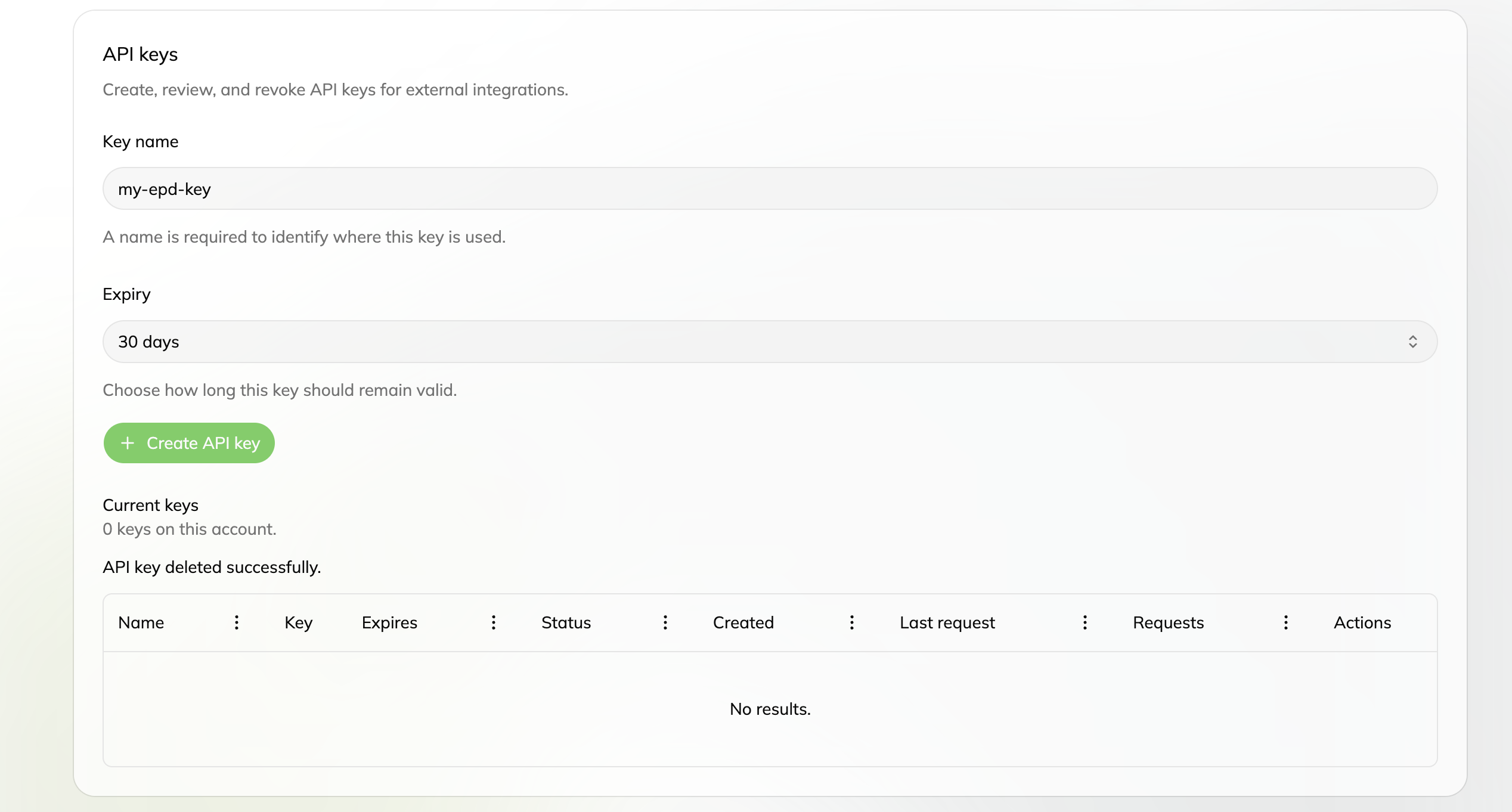
Create a key
- Sign in to the ECO Portal
- Go to your Profile (top right corner)
- Click on “API Keys” in the left sidebar
- Enter a Key name (e.g.
my-epd-key) — a name is required to identify where this key is used - Choose an Expiry (e.g. 30 days) — how long the key should remain valid
- Click the green Create API key button and copy the key immediately — it will only be shown once
Important: The key is shown only once when created. Copy it and store it safely in a secure location like a password manager or environment variable. Never commit it to your code repository.
Use your key
When making API calls, include your key in the x-api-key header:
x-api-key: <your key>See Authentication for ready-to-use code examples in Python and JavaScript.
How many keys you can have
For paid API access, your API License’s Use Class determines these limits:
| Use Class | Max user keys | Daily request quota | Can create organization keys? |
|---|---|---|---|
| Start-Up Client | 1 | 10,000 | no |
| Standard Client | 3 | 100,000 | no |
| High-Performing Client | 100 | 1,000,000 | yes |
Free Viewer Access alone does not include API keys or API requests. Approved Non-Commercial Use provides limited free API access for the purpose, duration and limits specified by ECO Platform’s approval. It is not a paid Use Class and is separate from Free Viewer Access.
The keys table on the API Keys page shows each key’s status and usage — the Requests column counts the requests your key has made against its daily quota.
Delete / rotate keys
- To delete a key: go to Profile → API Keys → click the trash icon next to the key you want to remove
- To rotate a key (replace an old one): create a new key, update your applications to use the new key, then delete the old one
Important: Once deleted, a key stops working immediately. Make sure to update any applications using it before deleting it.
Organization keys
An active API License for a High-Performing Client includes an Organisation Account, which manages multiple Client Accounts and can have organisation-wide API credentials. These shared keys access the API on behalf of the Client’s organisation rather than a single Client Account. For more information, see Organizations.